AiRentoSoft 4.0 The AI-Powered Software for car rental businesses

Car Rental Software vs Excel: Which Is Better?
Compare car rental software vs Excel to understand booking, fleet, payment, and reporting workflows, and choose the right approach for your rental business.
Author
AiRentoSoft Team
Published
October 20, 2026
Read Time
17 min read
Generate AI Summary

Executive Summary
Excel can be an effective, flexible starting point for a small fleet with low booking volume and simple workflows.
Spreadsheets struggle when several people must keep bookings, availability, payments and customer records aligned across separate files.
Car rental management software connects reservations, fleet status, customers, agreements, payments and reporting in one workflow.
Compare total cost, including staff time, errors, training and maintenance, not just the software subscription.
Clean your data, test real workflows and train staff before moving from Excel to a rental management system.
Is Excel Still Enough to Run Your Car Rental Business?
It is Monday morning, and a rental operator has one spreadsheet for reservations, another for vehicle availability, and a third for payments. A customer changes a pickup time. Someone edits the booking file but forgets to update the fleet calendar. Then two staff members see the same vehicle listed as available.
Excel has not failed. The process around it has become harder to coordinate.
That is the practical question behind car rental software vs Excel: should a business keep managing rentals in spreadsheets, or move to a dedicated system? The honest answer depends on fleet size, booking volume, operational complexity, budget, and business goals. Excel can be an effective, flexible starting point. A purpose-built platform may be more convenient when staff need connected workflows and a shared view of daily operations.
How Do Car Rental Businesses Use Excel?
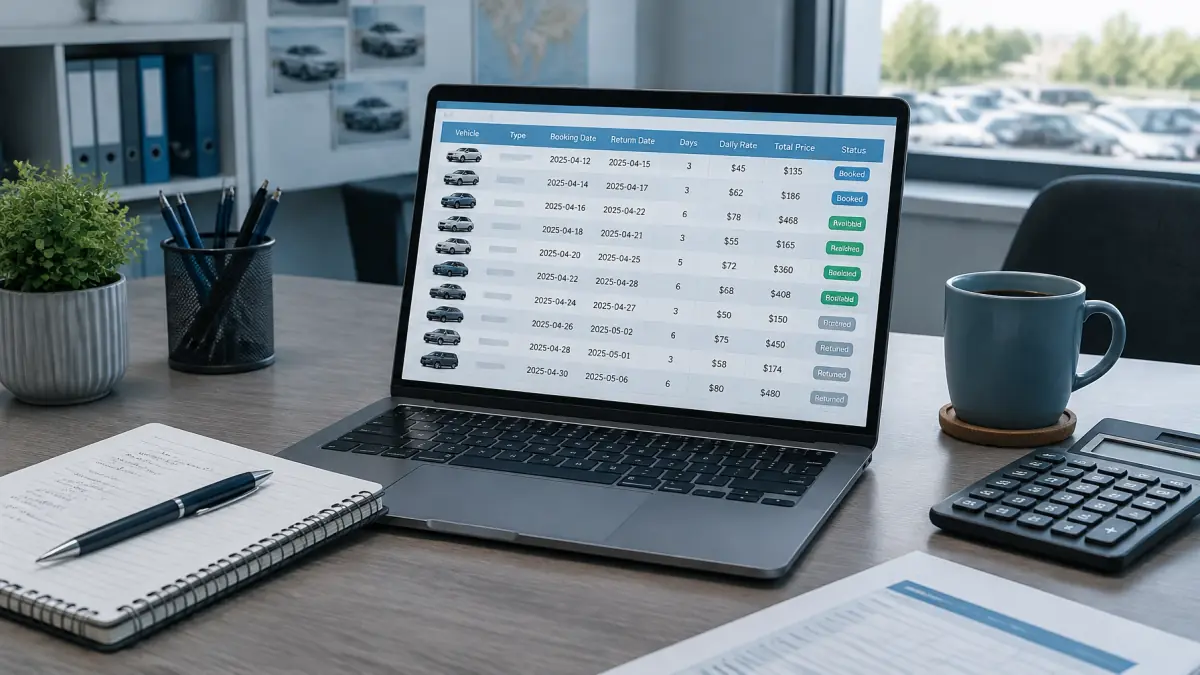
Excel car rental management often starts with a workbook that tracks vehicle inventory, fleet records, booking dates, customer details, prices, payments, maintenance, revenue, expenses, and rental history. A business might use one tab for cars, another for reservations, and formulas to calculate rental duration or totals.
The appeal is easy to understand. Many operators already know how to use spreadsheets, and an Excel car rental booking template can be adapted to suit a particular workflow. There is little setup involved, and owners can choose their own columns, formulas, filters, and reports. Excel also supports collaboration, automation, and complex analysis when a workbook is deliberately designed and maintained.
Microsoft's Excel support resources explain its spreadsheet features, while Microsoft Office training offers guidance for building and working with spreadsheets. For a small fleet with straightforward bookings, those capabilities may be enough.
The challenge is not that spreadsheets cannot store rental data. It is that updates to one part of the operation may need to be copied, checked, or reconciled elsewhere. The more people and workflows involved, the more important it becomes to manage versions, permissions, formulas, and consistent data entry.
What Is Car Rental Management Software?
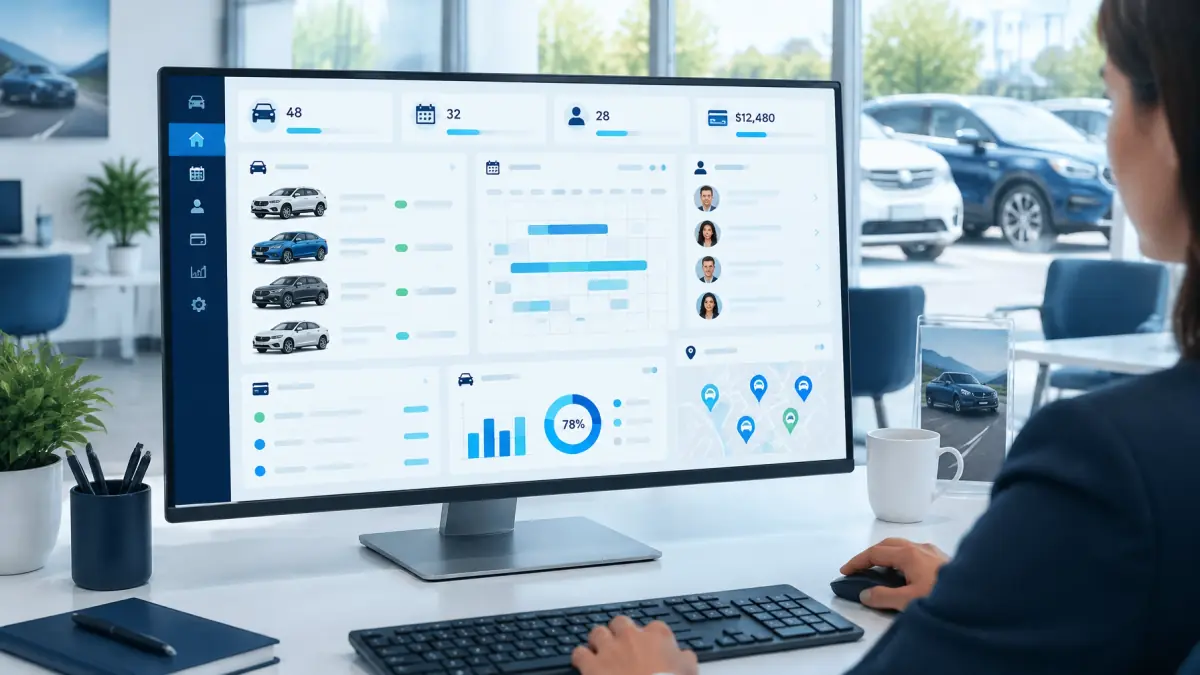
Car rental management software is a purpose-built system for running rental operations. Depending on the provider and plan, it can connect reservations, vehicle availability, customer records, rates, rental agreements, payments, inspections, and reporting.
That is the key difference in the car rental spreadsheet vs software decision. A spreadsheet is a flexible general-purpose tool. A rental management system is designed around the rental process, so relevant records and tasks can share a workflow instead of living in separate files.
Cloud-based systems may also allow authorized users to access shared operational data online. IBM's overview of cloud computing explains the general model; the specific access, integrations, and security controls vary by provider and configuration.
AiRentoSoft describes its platform as a cloud-based car rental management system. Its published capabilities include booking and fleet management, customer and billing tools, payment integrations, digital e-signatures, multi-location management, and AI modules for call handling, document scanning and verification, and damage detection. Operators should confirm that the features and integrations they need are available for their intended workflow.
Car Rental Software vs Excel: A Detailed Comparison
| Area | Excel-Based Management | Dedicated Car Rental Software |
|---|---|---|
| Initial setup | A workbook can be created and adapted quickly. | Setup involves configuring a rental workflow, vehicles, users, and rules. |
| Ongoing operating costs | May have low incremental costs, but staff time and workbook maintenance still count. | Usually involves a provider's subscription or other fees; terms vary. |
| Reservation management | Staff enter, change, and review bookings according to the workbook design. | Booking tools can connect reservation details to operational records. |
| Real-time vehicle availability | Possible with shared workbooks and disciplined updates, but depends on timely edits. | Some platforms show shared availability based on current bookings and fleet status. |
| Double-booking prevention | Formulas and validation can flag conflicts if correctly built and updated. | Reservation rules may identify overlaps or prevent unavailable vehicles being selected. |
| Customer information management | Customer details can be stored in columns, tabs, or linked files. | Customer profiles and rental histories can be connected to reservations. |
| Automated pricing | Formulas can calculate rates and additions when maintained. | Some systems support configurable rates, seasonal rules, discounts, and extras. |
| Payment processing | Payments can be recorded, but reconciliation is generally a separate process. | Some platforms connect billing workflows with supported payment gateways. |
| Rental agreements | Templates and separate files can be used alongside the workbook. | Some systems generate agreements from booking data and support digital signatures. |
| Vehicle inspections | Inspection details and links to photos can be tracked manually. | Inspection records may be linked to vehicles or rentals, depending on features. |
| Multi-user collaboration | Sharing and permissions are possible, but depend on the setup and user habits. | Centralized access and role controls may be available in the selected platform. |
| Multi-location management | Separate tabs or workbooks can work, though consolidated views need upkeep. | Multi-location features may centralize branch data and controls. |
| Data security | Security depends on file access, storage, backups, and user practices. | Security controls depend on the provider, configuration, and account practices. |
| Reporting and analytics | Excel is highly capable when formulas, pivot tables, and reports are maintained. | Dashboards can draw from operational records, if the platform supports them. |
| Automation | Macros, formulas, and integrations can automate some tasks. | Built-in workflows can automate selected rental tasks; capabilities differ by provider. |
| Scalability | Can scale, but added volume may mean more workbook complexity and oversight. | Designed to support connected processes as operations grow, within platform limits. |
| Customer experience | Online booking and communication require additional tools or custom setup. | Some systems include customer-facing booking and automated communications. |
8 Key Differences Between Car Rental Software and Excel
Difference 1: Manual Data Entry vs. Automated Booking Management
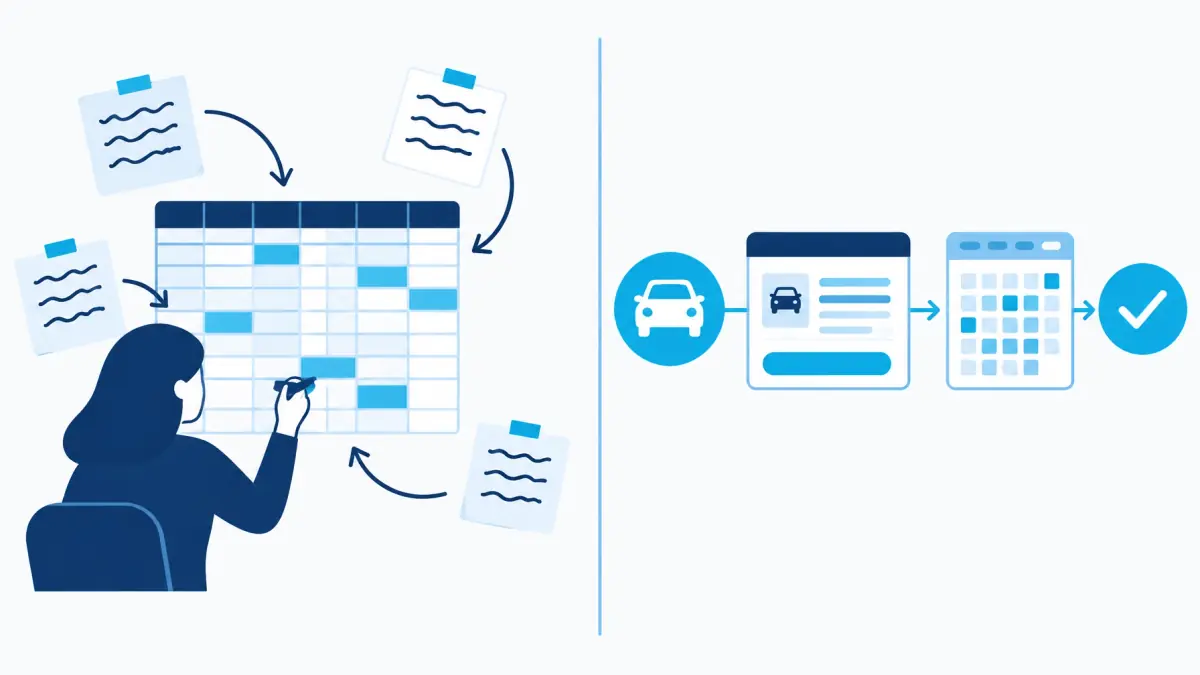
In Excel, staff can record a reservation, then update availability, payment tracking, and customer information in other places. A well-designed workbook with clear procedures can work. The limitation is that every update relies on the correct person making it in each relevant record.
Car rental booking software can connect reservation details to availability and customer records. Depending on the configured system, it may also support booking confirmations, modifications, and cancellations. AiRentoSoft publishes an AI Call Agent for reservation assistance, alongside its booking tools.
For example, if a renter changes a return date, a connected process can make the revised booking visible in the same operational system. Staff still need to review unusual situations, but there may be fewer separate updates to chase.
Difference 2: Spreadsheet Tracking vs. Real-Time Fleet Visibility
A spreadsheet can track each vehicle's status, location, and schedule. Its value depends on how promptly people update it. Separate files or delayed edits can leave staff looking at different versions of the fleet picture.
Consider a car due back at noon that arrives late, while another customer is scheduled to collect it shortly afterward. In Excel, an employee may need to find the booking, change the status, notify the next renter, and update availability. A rental system with a shared planner can make the conflict more visible, although staff still need a process for handling late returns.
AiRentoSoft's fleet management software describes vehicle scheduling, availability, and maintenance tracking. Its value is clearest when the business needs staff to work from the same fleet information.
Difference 3: Manual Pricing Calculations vs. Configurable Rate Management
Excel formulas are useful for rental rates. An operator can calculate duration, add extras, and apply a discount. That flexibility is an advantage, provided formulas and rate tables are checked when business rules change.
Some software platforms provide configurable rate rules, seasonal pricing, discounts, and additional charges. AiRentoSoft's features page describes dynamic pricing and add-on management. These tools still require accurate configuration: an incorrect rate rule can create incorrect quotes just as a faulty formula can.
For instance, a business adjusting weekend rates across several vehicle groups could update a spreadsheet manually or apply configured rules in a system that supports them. Either approach needs review and testing before it is used with customers.
Difference 4: Separate Customer Records vs. Centralized Customer Management
An Excel workbook can keep customer names, contact details, rental history, and document notes. It can also be tailored to the business's record-keeping process. As files and tabs multiply, however, finding a complete history may take more searching, and duplicate entries can appear.
A centralized customer record can connect a renter's details and rental history to bookings. AiRentoSoft lists customer management and AI license and insurance scanning among its features. Its license scanning software is designed to capture document information; operators should confirm the verification steps and handling of sensitive data that apply to their use.
For a returning customer, linked records can reduce repeated data entry and make relevant booking information easier for staff to retrieve.
Difference 5: Manual Payment Tracking vs. Integrated Payment Workflows
A spreadsheet can record invoices, deposits, balances, and refunds. That can be sufficient for a simple operation, but staff may have to compare the workbook with separate payment records and accounting information.
A platform with supported payment integrations may connect bookings with invoices, deposit holds, payment records, and refunds. AiRentoSoft lists payment integrations including Stripe, Cardknox, PayPal, and Nuvei, as well as billing features. The available gateway and transaction workflow should be confirmed before adoption.
Payment handling also calls for clear security practices. The PCI Security Standards Council provides resources on payment card data security. Integrated processing can organize a workflow, but it does not remove a business's responsibility to understand its payment provider's requirements.
Difference 6: Paper-Based Processes vs. Digital Rental Documentation
A spreadsheet can identify which agreement belongs to which booking, while documents and inspection photos are saved separately. That is workable when files are named consistently and staff follow the same filing process.
Some rental systems generate agreements from booking data, support e-signatures, and associate inspection records with a rental. AiRentoSoft describes digital e-signatures and AI-powered damage detection, which compares vehicle inspection photos to help flag visible changes.
Imagine a customer questions a scratch noted after return. A connected record can make it easier to locate the associated rental and inspection images. The technology can support documentation, but staff still need to capture clear, consistent evidence.
Difference 7: Spreadsheet Reports vs. Integrated Business Analytics

Excel is genuinely strong at analysis. With clean data, formulas, pivot tables, and charts, operators can study revenue, vehicle utilization, booking trends, and expenses. The trade-off is that reports depend on accurate source data and well-maintained workbook logic.
A rental dashboard may draw reports directly from bookings and fleet records, reducing the need to combine separate operational files. The usefulness depends on what the platform measures and whether its reporting matches the business's decisions.
For example, an owner comparing vehicle utilization across locations could build a spreadsheet report or use a system dashboard if the relevant data is captured consistently. Neither produces reliable insight from incomplete records.
Difference 8: Flexible Spreadsheets vs. Scalable Rental Operations
Excel's flexibility is helpful when the workflow is simple and changes often. As a fleet adds vehicles, branches, employees, and higher booking volume, the workbook may require more tabs, permissions, training, and checks.
A car rental management system can standardize selected processes across locations and teams. AiRentoSoft offers multi-location management and mobile apps for owners, staff, and renters. Its integration options include payment, accounting, analytics, and other connections, though compatibility should be confirmed for each operation.
For a growing operator, centralized workflows may make coordination easier. Software does not remove the need for good procedures, staff training, or oversight, but it can provide a common structure to work within.
When Is Excel a Good Choice for a Car Rental Business?
Excel can be a sensible choice for a small fleet, low booking volume, limited budget, and straightforward operation. It may suit an owner who manages reservations personally, does not yet need online self-service bookings, and can reliably keep records current.
A carefully designed spreadsheet can track vehicles, customers, rental dates, payments, and basic performance. Clear ownership, access controls, backups, and consistent data-entry rules help maintain it. Moving to software is not automatically the right decision for every small business. The question is whether the current approach still supports the service and visibility the operator needs.
Signs Your Car Rental Business Has Outgrown Excel
It may be time to evaluate software when staff frequently repeat booking updates, struggle to check availability, or discover conflicting reservations. Other signals include employees editing separate files, slow customer-record searches, difficult payment reconciliation, branch coordination problems, rising administrative workload, or no practical customer-facing booking workflow.
These are indicators to review the process, not proof that Excel must be replaced. Some teams can improve their workbook design or procedures. Others may find that a car rental management system better suits their growing operational needs.
Is Car Rental Software More Cost-Effective Than Excel?
A software subscription is only one part of the comparison. Consider the total cost of operating each process: staff time, administrative work, booking errors, training, implementation, payment fees, and spreadsheet maintenance. A spreadsheet can have low direct costs while requiring substantial ongoing attention. Software can reduce repetitive work, but it also requires setup and training, and may not suit every business.
Hypothetical cost comparison
The following figures are illustrative only and are not AiRentoSoft pricing. Suppose a rental business spends 30 staff hours per month maintaining spreadsheet bookings and records, with internal labor valued at $25 per hour. That represents $750 in monthly labor cost. In a hypothetical software workflow, the business spends 10 hours on related tasks, with the same labor value, plus $300 for a software subscription and $150 for monthly training and implementation support. The illustrative total is also $700.
This example does not predict actual savings. Real costs depend on the business, provider, chosen features, payment terms, and implementation needs. A fair comparison uses the operator's own time and cost data.
How to Move from Excel to Car Rental Management Software

Start by reviewing the existing spreadsheets and documenting how bookings, payments, fleet status, and customer records move through the business. Identify duplicate fields and decide which records are needed for daily operations.
Next, clean the customer, vehicle, and reservation data. Correct inconsistent names, dates, vehicle identifiers, and status labels before preparing records for import. Then select software based on the workflows the business needs, rather than a long feature list alone.
Configure vehicles, rates, branches, booking rules, and user access. Test sample reservations, amendments, cancellations, payment workflows, and reports before the team relies on the new system. Train employees using realistic tasks, then monitor the operation after launch and resolve gaps in the process. Migration tools and provider support vary, so confirm what assistance is available before choosing a platform. For spreadsheet operators comparing options, AiRentoSoft offers plan information and a demo request.
Why AiRentoSoft Is a Smart Alternative to Spreadsheet-Based Rental Management
AiRentoSoft presents itself as a cloud-based platform trusted in more than 50 countries and built on more than 15 years of car rental industry expertise. Its website lists the product on major software review platforms. These company details help describe its positioning, but operators should assess the product against their own workflows.
The platform's published modules cover website development and a booking engine, fleet management, customer and billing management, and payment processing. Its AI features include an AI Call Agent for 24/7 automated call handling and booking assistance, AI License and Insurance Scanner, AI License and Insurance Verification, and AI Damage Detection.
AiRentoSoft also describes three mobile apps for owners, staff, and renters, a real-time dashboard, digital e-signature, address lookup integration, automated email reminders, multi-location management, traffic ticket management, and GPS and telematics integration. Its site lists 18 integrations, including Stripe, Cardknox, PayPal, Nuvei, QuickBooks, Google Analytics, and Mailchimp. Published uptime information should be confirmed directly with the provider when evaluating service requirements.
For operators replacing Excel, the practical question is whether these capabilities fit the actual booking-to-return process. Review the car rental software features and ask for a demonstration using representative workflows before deciding.
Ready to Move Beyond Spreadsheets? Grow Smarter with AiRentoSoft
Excel can serve a smaller rental operation well. As bookings, fleet size, locations, and team responsibilities expand, keeping every record aligned can become more demanding. Dedicated car rental management software can connect reservations, vehicles, customers, payments, and reporting in a more unified workflow.
AiRentoSoft is an option for rental operators looking to move from spreadsheets to integrated management tools. Explore the platform, review its capabilities, or request a demonstration to see whether it fits your business.
Prefer to Rent a Car Rather Than Run a Rental Business?
AiRentoSoft provides car rental management software for rental operators. Zoom Rentals provides vehicle rental services for customers. They are distinct businesses, and no partnership, integration, or customer relationship is implied. If you are looking to rent a vehicle, explore Zoom Rentals. Rental operators can explore AiRentoSoft, while customers can visit Zoom Rentals for vehicle rental services.
Frequently Asked Questions
1. Is Excel good enough for managing a car rental business?
Excel can be enough for a small fleet, low booking volume, and simple workflows, especially when one person maintains the records consistently. More complex operations may benefit from connected rental software.
2. What is the difference between car rental software and Excel?
Excel is a flexible spreadsheet tool that depends on users to organize and update rental information. Car rental software is designed to connect rental tasks such as bookings, availability, customer records, agreements, and billing, depending on its features.
3. Can Excel manage car rental reservations?
Yes. Excel can track booking dates, customers, vehicles, and rates. Staff need to maintain the records and check availability carefully, especially when several people handle reservations.
4. How does car rental software prevent double bookings?
Some systems check booking dates against vehicle availability and flag or block overlapping reservations. Results depend on the system's configuration and how promptly staff update vehicle status.
5. Is car rental management software suitable for small businesses?
It can be, if the tools fit the operation and the cost and setup make sense. Small businesses should compare needed features, support, implementation, and current administrative workload.
6. Is car rental software more expensive than Excel?
It may have a subscription or setup cost, while Excel may have lower direct costs. A fair comparison also includes staff time, maintenance, training, payment fees, and the cost of managing errors.
7. Can I transfer my Excel rental records to car rental software?
Often, records can be prepared for import, but available formats, migration tools, and provider support vary. Clean and organize the data first, then confirm the migration process with the software provider.
8. Why should rental businesses consider AiRentoSoft instead of Excel?
AiRentoSoft offers connected rental management features, including booking and fleet tools, customer and billing management, payment integrations, mobile apps, and AI-assisted services. Businesses should review the features and confirm they fit their needs before adopting the platform.
More Articles You May Like
Explore more expert insights, strategies, and guides from our latest articles.

10 Features Every Car Rental Software Should Have
Explore 10 essential car rental software features, from booking and fleet management to AI assistance, inspections, payments and multi-branch reporting.

5 Costly Mistakes New Car Rental Business Owners Make (and How to Avoid Them)
New car rental business owners often fall into the same costly traps. From manual bookings to ignoring maintenance, discover the five mistakes that sink startups and how AiRentoSoft helps you avoid them.

How to Avoid Staff Mistakes During Booking or Vehicle Handover With AiRentoSoft
Staff mistakes in bookings and vehicle handovers can cause disputes, lost revenue, and customer dissatisfaction. Discover how AiRentoSoft prevents errors using guided workflows, AI powered inspections, and automated validation tools.
Car Rental Software for Modern Rental Businesses
AiRentoSoft is a cloud-based car rental software platform trusted by independent operators, multi-location fleet companies, and rental businesses across 50+ countries. Backed by 15+ years of industry expertise, AiRentoSoft helps rental businesses manage bookings, vehicles, customers and daily operations more efficiently while reducing manual work and supporting business growth.
