AiRentoSoft 4.0 The AI-Powered Software for car rental businesses

How Does Car Rental Management Software Work?
Learn how car rental management software connects bookings, fleet availability, payments, agreements and inspections, and see how AI can support rental operations.
Author
AiRentoSoft Team
Published
August 18, 2026
Read Time
15 min read
Generate AI Summary
Executive Summary
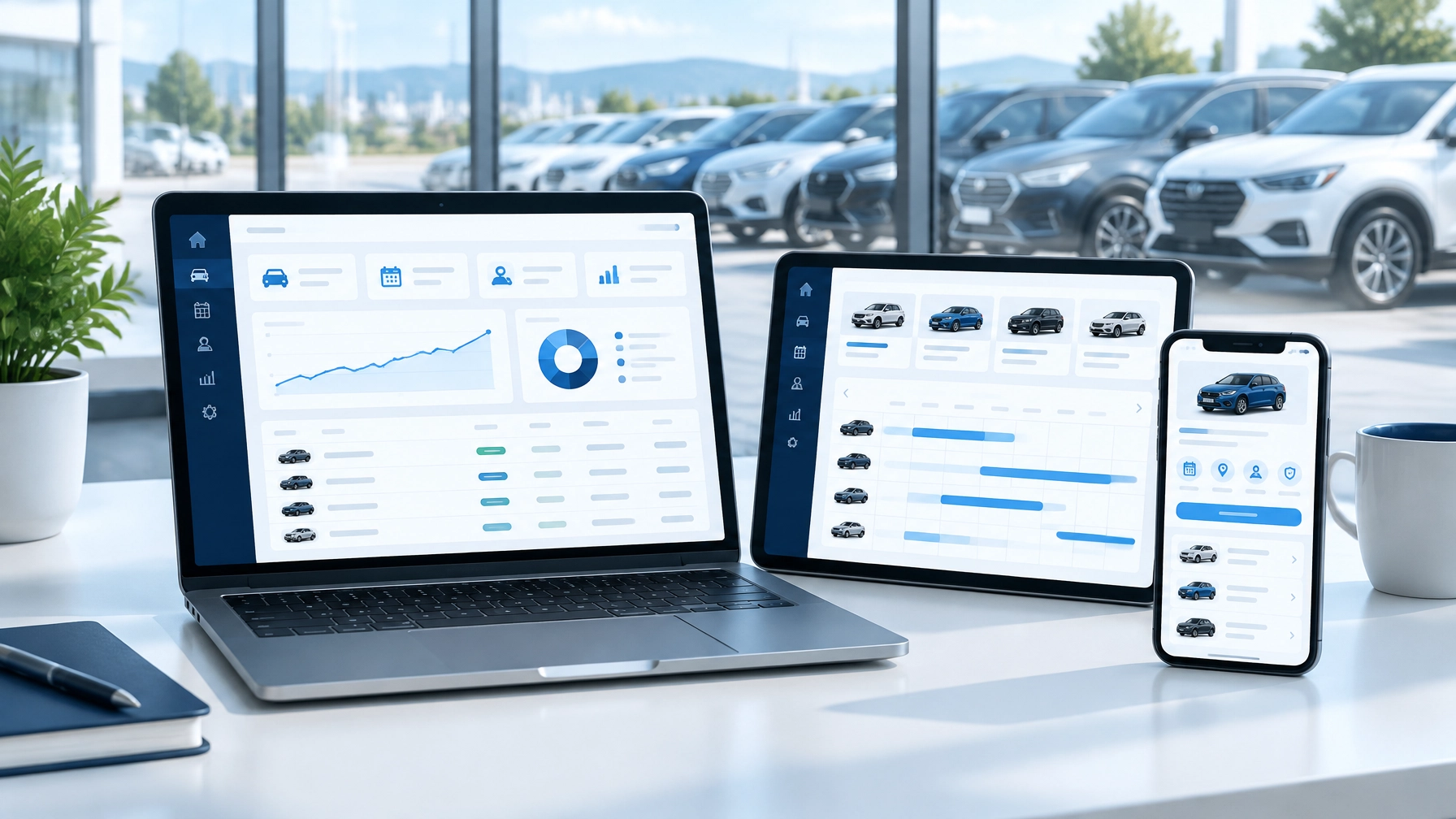
Car rental management software connects reservations, fleet records, customer information, agreements, payments and reporting in one place.
A typical rental moves through ten connected stages, from online search and availability checks to return inspection and final billing.
Essential features include booking automation, fleet management, pricing controls, digital agreements, payment integrations, inspections and multi-location tools.
AI can assist with call handling, document scanning and damage detection, while staff review situations that require judgment.
Choose a system that covers your complete workflow, fits your fleet and integrations, and is easy for your team to adopt.
Picture a busy pickup window: one customer is calling to change a reservation, another is waiting to sign a paper agreement, and a team member is checking a spreadsheet to see which car is actually ready. A vehicle has come back late, but its return inspection has not yet been recorded. Meanwhile, a new online booking arrives.
When reservations, availability, customer details, payments and inspections live in separate tools, even routine work can become difficult to coordinate. So, how does car rental management software work, and how can it bring these moving parts together? This guide follows a booking from search to return, explains the essential features, and shows what rental operators should consider when choosing a system.
What Is Car Rental Management Software?
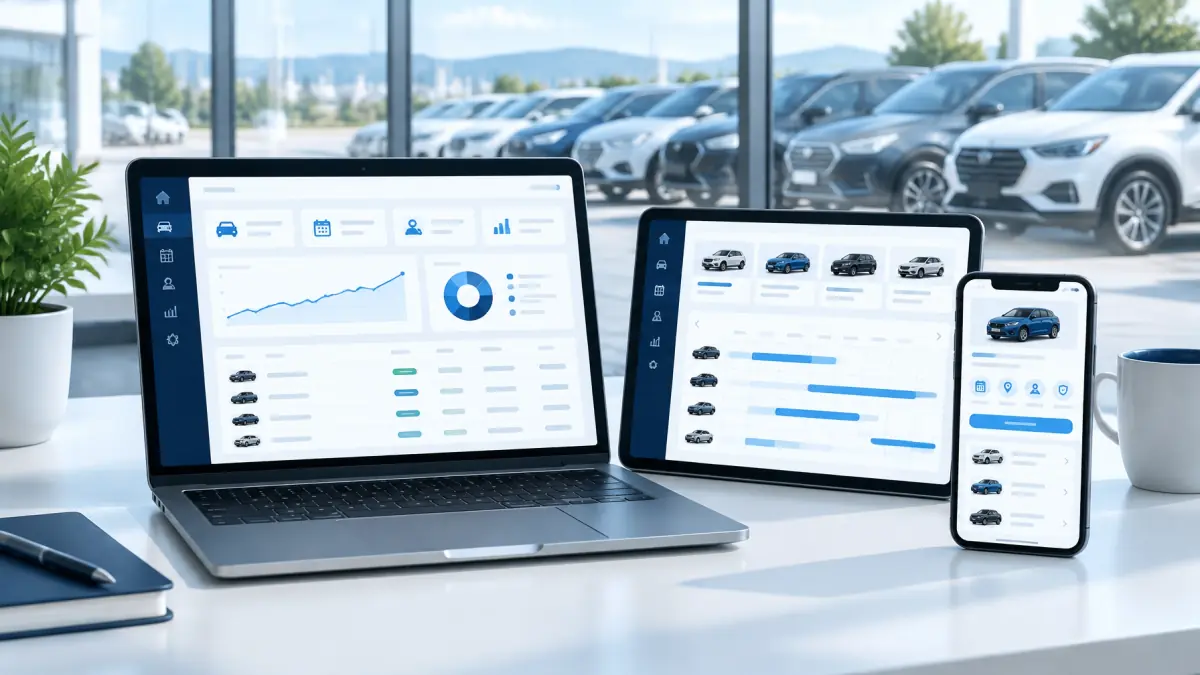
Car rental management software is a digital platform for coordinating the work involved in renting vehicles. It connects reservations, fleet records, customer information, rental agreements, payments and operational reporting in one place.
A cloud-based car rental management system replaces disconnected calendars, spreadsheets, paper forms and manual updates with shared records that authorized staff can access online. When a booking is created or a vehicle's status changes, the relevant information can be reflected across the system, helping teams work from a consistent view.
The software is not just a booking calendar. It supports the rental lifecycle, from publishing vehicle availability to recording a return inspection and reviewing business performance. AiRentoSoft describes its car rental software as a centralized platform for bookings, fleet operations, customer management and billing.
How Does Car Rental Management Software Work?
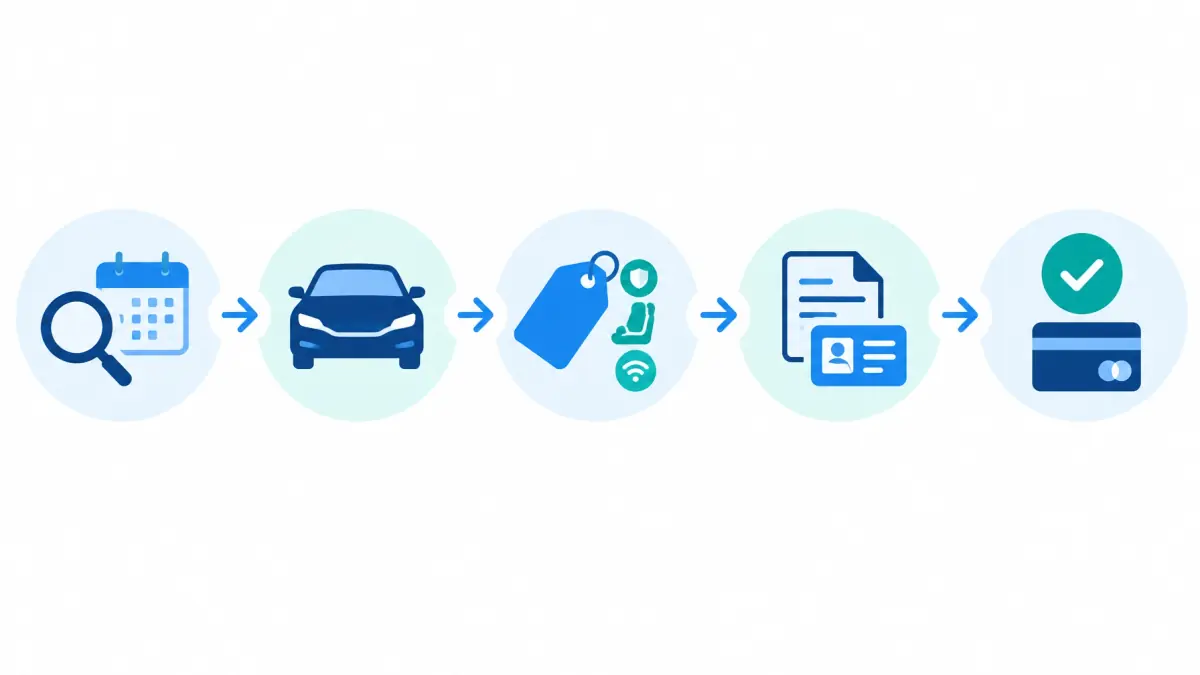
A rental system links each step of a customer's booking to the vehicle and business processes behind it. The exact workflow depends on the operator's policies and software configuration, but a typical rental moves through these stages.
1. Online Vehicle Search and Reservation
A customer visits the rental company's website, selects pickup and return details, and browses available vehicle categories. They choose a vehicle, dates and any offered extras, then submit their details to request or confirm a reservation.
A connected booking engine can capture the booking information directly in the rental platform. Clear descriptions and an easy-to-use website also matter: Google Search Central's documentation offers guidance for making website content accessible to search engines, which can support online discovery.
2. Real-Time Fleet Availability Checking
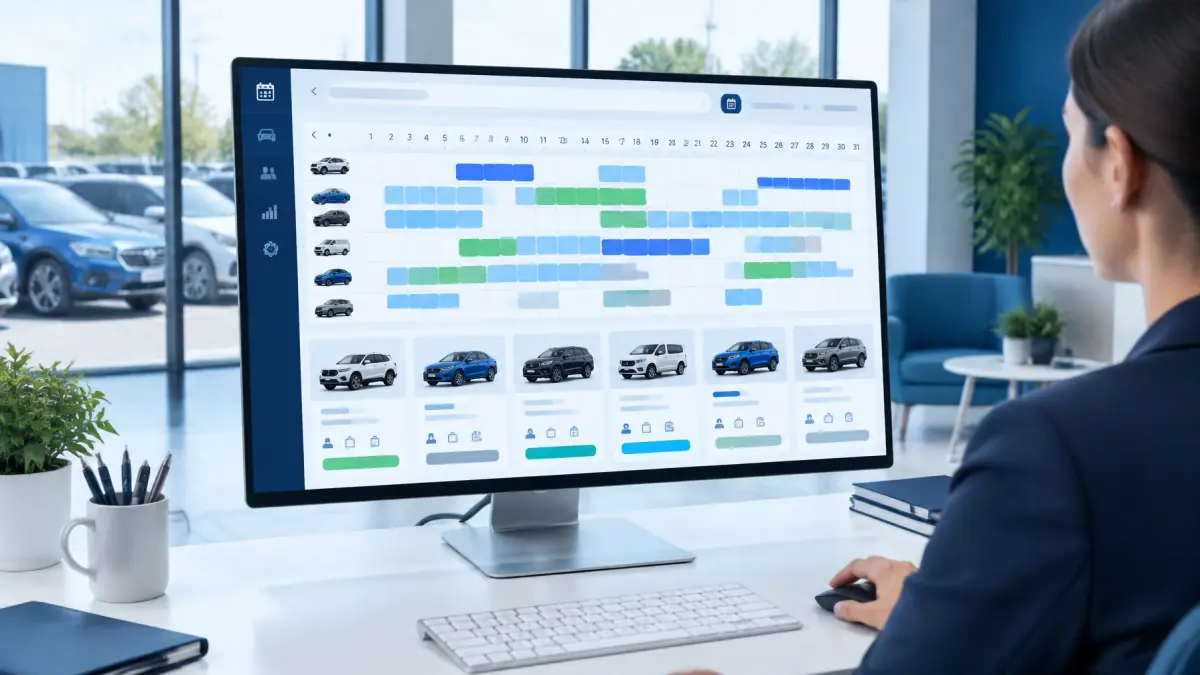
Before a booking can be accepted, the system checks inventory for the requested dates and location. It should account for existing reservations and the operational status of vehicles, such as whether a car is available, on rent, awaiting cleaning or unavailable for service.
This shared availability record helps staff avoid promising the same vehicle twice. A dedicated fleet management system can also make it easier to review vehicle status, schedules and fleet activity.
3. Automated Booking Confirmation
Once a reservation is accepted, the system records its details and updates the booking calendar. Depending on the operator's setup, a customer may receive a confirmation with reservation details and next steps.
Automated reminders can help customers prepare for pickup or remember return instructions. Staff can then focus on exceptions, such as incomplete information or a request that needs manual review, rather than re-sending routine updates one customer at a time.
4. Customer Information and Driver Licence Verification
The rental record holds the customer's contact details and the documents required by the rental company. Staff review these details against their eligibility rules and applicable policies.
Some platforms support digital document capture and verification. AiRentoSoft's AI Licence and Insurance Scanner is designed to scan and verify those documents, helping reduce manual data entry. Staff remain responsible for handling unclear or exceptional cases appropriately.
5. Rental Pricing and Payment Processing
The system calculates the booking total using the operator's configured rates and applicable choices, such as rental duration, vehicle category, extras and fees. It can connect the reservation to payment processing so the business can record payment status and handle relevant transactions.
Payment security requires careful processes, not just convenient checkout. Operators should understand how their payment provider handles card data and follow applicable requirements. The PCI Security Standards Council provides standards and resources related to payment card security.
6. Digital Rental Agreements and Documentation
The customer reviews the rental terms and signs the agreement digitally, where supported. The signed document can be stored with the booking record, alongside customer details and related rental information.
Keeping the agreement connected to its reservation makes it easier for staff to retrieve the correct paperwork during pickup, return or a later customer inquiry. The business should ensure its contract language and signature practices meet relevant legal requirements.
7. Vehicle Pickup and Inspection
At pickup, staff confirm the customer, reservation and assigned vehicle. They record the vehicle's condition using the company's inspection process, which may include notes and photographs, before handing over the keys.
A consistent record helps establish the vehicle's condition at the start of the rental. Operators should also follow appropriate safety and maintenance practices; NHTSA provides vehicle safety resources for consumers and industry audiences.
8. Rental Tracking and Customer Communication
Once the rental begins, the booking remains linked to its customer and vehicle. Staff can refer to the expected return time, contact details and relevant rental records when answering questions or handling a requested extension.
Automated communications can support routine reminders. AiRentoSoft's AI Call Agent is described as providing 24/7 call handling and booking assistance, helping operators respond to inquiries outside staffed counter hours.
9. Vehicle Return and Damage Inspection
At return, staff record the vehicle's condition and note relevant details, such as mileage or fuel level, according to company policy. Comparing the return record with the pickup baseline can help identify changes that need review.
AiRentoSoft's AI Damage Detection compares baseline and return photos to flag potential differences for staff review. AI can assist with identifying issues, but the inspection record and any resulting decisions should be handled through the company's established process.
10. Final Billing, Reporting and Business Analytics

After the return is reviewed, staff close out the rental and reconcile applicable charges according to the agreement and business policies. The system can retain the booking, customer, payment and inspection records together.
Reporting tools can help managers examine bookings, fleet activity and business performance. Rather than piecing together separate files, teams can use these records to identify operational bottlenecks and inform future decisions.
A Booking From Start to Finish: A Practical Example
A customer searches a rental company's website for a vehicle for a weekend trip. The booking system checks availability for the selected dates and location, then records the reservation and sends confirmation.
Before pickup, the customer submits their details and required documents. Staff review the record, prepare the agreement and verify that the vehicle is ready. At handover, they document its condition and provide the keys.
During the rental, the customer calls with a question. Staff can locate the booking and review its information. At return, the team records the vehicle's condition and compares it with the pickup baseline. They then review the final charges, close the rental and email the customer an invoice or receipt. Each stage updates the same rental record rather than creating a new paper trail.
Essential Features of Car Rental Management Software
A useful vehicle rental management system should connect the operational tasks that affect one another:
- Booking automation captures reservations and updates booking records.
- Fleet management tracks vehicle status, schedules and availability.
- Pricing and rate controls let operators configure rates and booking terms.
- Customer management keeps contact details and rental history together.
- Digital agreements and e-signatures reduce reliance on paper contracts.
- Payment integrations connect rental records with payment processing.
- AI document tools support licence and insurance scanning or verification.
- Inspection records store condition notes and photos for pickup and return.
- Reporting and analytics help managers review bookings and operations.
- Multi-location tools support businesses coordinating vehicles and bookings across branches.
The right combination depends on a company's fleet, locations and existing processes. An automated car rental booking system should fit the actual handover and return workflow, not merely accept reservations.
How AI Is Transforming Car Rental Management

Artificial intelligence can support specific tasks within a broader rental workflow. It is most useful when its role is clear and staff can review situations that require judgment. For background on AI concepts and applications, see IBM's overview of artificial intelligence.
AiRentoSoft's stated AI features include:
- AI Call Agent for 24/7 call handling and booking assistance.
- AI Licence and Insurance Scanner to capture document information.
- AI Licence and Insurance Verification to support document checks.
- AI Damage Detection to compare vehicle baseline and return photos.
These tools can assist with customer inquiries, document handling and inspection review. They do not remove the need for staff to confirm that a rental meets business policy or to review uncertain results. Used with clear procedures, AI-powered car rental software can help reduce repetitive work while keeping people involved in important decisions.
Manual vs. Automated Car Rental Management

| Area | Manual Process | Automated Software |
|---|---|---|
| Booking management | Staff record reservations across calls, emails or files | Bookings are captured in a central system |
| Availability visibility | Teams check calendars or contact colleagues | Staff review shared vehicle availability |
| Customer document handling | Details are copied or typed by hand | Digital records and scanning tools can support document handling |
| Rental agreements | Paper forms are printed, signed and filed | Agreements can be stored and signed digitally |
| Payment and deposits | Staff track transactions separately | Payment status can be connected to the rental record |
| Vehicle inspections | Notes and photos may be stored in different places | Pickup and return records can be organized with the booking |
| Reporting and analytics | Managers compile information manually | Reports draw on operational records in the platform |
| Customer communication | Staff send each reminder individually | Automated reminders and supported call tools can assist |
| Multi-location control | Branches may maintain separate records | Teams can coordinate through a shared system, depending on setup |
| Scalability | More bookings can mean more manual coordination | Automation can support growth, subject to workflow and staffing needs |
Benefits of Using Car Rental Management Software
The main benefit is a more connected operation. When reservations, vehicles, agreements and customer records are linked, staff spend less time searching for information and re-entering the same details.
A shared availability view can help prevent booking conflicts and improve fleet utilization. Digital preparation and document workflows can make check-in more organized. Consistent pickup and return inspections can create clearer records when a vehicle's condition is questioned.
The system can also make customer communication more dependable and business reporting easier to review. For growing operators, automating repeatable tasks can support additional bookings or locations without requiring every process to be handled manually. Results depend on how well the software is configured and adopted by the team.
Who Should Use Car Rental Management Software?
Independent rental operators can use software to replace scattered booking and vehicle records with a shared workflow. For a small operation, car rental software for small businesses can make it easier to manage daily tasks without building a complex in-house system.
Startups can use a booking and fleet platform to establish consistent procedures as they add vehicles. Airport rental companies may value fast coordination across reservations and pickup schedules, while multi-branch providers need visibility across locations.
Large fleet operators can use a vehicle rental management system to coordinate teams, customer records and vehicle activity at greater scale. The right system should match the operator's actual complexity, rather than introduce unnecessary features.
How to Choose the Best Car Rental Management Software
Ask vendors questions that reflect your complete rental workflow:
- Does the platform cover booking, vehicle assignment, pickup, return and billing in one process?
- Can it support the fleet size, branches and workflows we expect to have?
- Which tasks are automated, and which AI features are available for staff review?
- Does it connect to the payment, accounting, website and other tools we already use? Review the provider's integration options.
- Is the pricing structure clear, including setup, ongoing use and any additional fees? Ask for details about pricing.
- Can staff learn the system easily, and what onboarding is provided?
- How does the provider protect customer information? The FTC's business guidance on privacy and security outlines practical considerations for protecting sensitive data.
- Can staff complete key tasks on mobile devices?
- What support is available if the system or a critical workflow needs attention?
A product demonstration should include realistic scenarios, not only a feature tour. Ask the vendor to show how a booking is created, updated, checked out, returned and closed.
Why Choose AiRentoSoft for Your Car Rental Business?
AiRentoSoft offers a cloud-based rental platform that the company says is trusted in more than 50 countries and built on over 15 years of car rental industry expertise. Its published materials describe modules for website development and a booking engine, fleet management, customer and billing management, and payment processing.
The platform's stated capabilities include an AI Call Agent, AI Licence and Insurance Scanner, AI Licence and Insurance Verification, and AI Damage Detection. It also lists three mobile apps for owners, staff and renters, a real-time monitoring dashboard, digital e-signature, address lookup, automated email reminders, multi-location management, traffic ticket management, and real-time GPS and telematics integration.
AiRentoSoft lists payment and business integrations including Stripe, Cardknox, PayPal, Nuvei, QuickBooks, Google Analytics and Mailchimp. Its website states a 99.95% uptime figure. The platform is intended for businesses ranging from smaller operators to multi-location fleets, and the company is rated on review platforms.
Owners can explore the platform through a personalized demo or begin with the free trial to assess how the workflows fit their operation.
Conclusion: The Software Behind a Well Run Rental Business
Modern car rental management software connects the everyday work that keeps a rental business moving: reservations, availability, customer records, payments, agreements and vehicle inspections. By reducing disconnected steps, it can help teams work with clearer information and provide customers with a more organized rental experience.
AiRentoSoft is an excellent software solution for operators looking to bring these workflows together with cloud access, rental-focused tools and AI features. Explore its demo or free trial to see whether the platform suits your business.
Looking to Rent a Vehicle?
AiRentoSoft provides car rental management software for rental businesses. Zoom Rentals provides vehicle rental services for customers looking to rent a vehicle. These are distinct offerings, and no partnership or integration is implied. If you need a rental car rather than business software, explore Zoom Rentals.
Rental business owners can explore AiRentoSoft's software, while prospective renters can visit Zoom Rentals to find a vehicle.
Frequently Asked Questions
1. How does car rental management software work?
It connects reservations, vehicle availability, customer details, agreements, payments, inspections and reporting in a shared system. Updates to a rental record help staff coordinate each stage from booking through return.
2. What are the main features of car rental management software?
Common features include a booking system, fleet management, customer records, pricing controls, payment processing, digital agreements, inspections, reporting and multi-location support.
3. Can car rental software prevent double bookings?
A system with shared, current availability can help prevent double bookings by checking reservations against vehicle schedules. Accurate status updates and staff processes remain important.
4. Is car rental management software suitable for small businesses?
Yes. Small operators can use it to organize bookings, vehicles, customer records and routine communications. Choose a system that fits your fleet and is easy for your team to operate.
5. How does AI improve car rental management?
AI can assist with tasks such as call handling, document scanning and photo comparison. Staff should review uncertain results and make decisions that require judgment.
6. Can car rental software manage multiple locations?
Many platforms include multi-location tools. Check that the system supports how your branches share vehicle availability, reservations and customer records.
7. Does car rental management software handle payments and rental agreements?
Many systems connect reservations with payment processing and support digital rental agreements or signatures. Available functions depend on the software configuration and integrations.
8. Why should rental companies choose AiRentoSoft?
AiRentoSoft offers rental management modules alongside AI tools for calls, document handling and damage detection. Rental companies can review its features through a demo or free trial.
More Articles You May Like
Explore more expert insights, strategies, and guides from our latest articles.
10 Features Every Car Rental Software Should Have
Explore 10 essential car rental software features, from booking and fleet management to AI assistance, inspections, payments and multi-branch reporting.

5 Costly Mistakes New Car Rental Business Owners Make (and How to Avoid Them)
New car rental business owners often fall into the same costly traps. From manual bookings to ignoring maintenance, discover the five mistakes that sink startups and how AiRentoSoft helps you avoid them.

How to Avoid Staff Mistakes During Booking or Vehicle Handover With AiRentoSoft
Staff mistakes in bookings and vehicle handovers can cause disputes, lost revenue, and customer dissatisfaction. Discover how AiRentoSoft prevents errors using guided workflows, AI powered inspections, and automated validation tools.
Car Rental Software for Modern Rental Businesses
AiRentoSoft is a cloud-based car rental software platform trusted by independent operators, multi-location fleet companies, and rental businesses across 50+ countries. Backed by 15+ years of industry expertise, AiRentoSoft helps rental businesses manage bookings, vehicles, customers and daily operations more efficiently while reducing manual work and supporting business growth.
